Higgsfield AI Ad Generator & Marketing Studio: Up to 50% Off
Create AI video ads with Higgsfield Ad Generator and Marketing Studio. Follow real screenshots and get up to 50% off for 3 hours after affiliate login.
Higgsfield interface; screenshot captured by Fieldnotes using Aside CLI · Original browser screenshot for editorial demonstration
Start your product ad with a product photo or detail page in Higgsfield. AI Ad Generator opens the Marketing Studio workspace, where you choose a style and generate the video. Follow the screenshots from adding a product and checking the credit cost to playing the finished video. Button names match the English interface so each step is easy to find.
These screenshots were captured in a real account on October 3, 2026. Follow the walkthrough from selecting a product to generating, playing and saving an eight-second MP4.
Up to 50% off for 3 hours after logging in through the affiliate link
Before subscribing, open the affiliate link below and log in. Your up-to-50%-off offer is available for 3 hours after logging in through this link.
Log in through this link: up to 50% off for 3 hours
Before starting: prepare your product information
Prepare a public product-detail URL or a product already stored in your account. A clear name, representative image and accurate feature description make it easier to verify the imported information. Use media you have permission to use, and decide what the ad should demonstrate before selecting a style.
The walkthrough uses Aunmaon Automatic Soap Dispenser Touchless from the account product library. You can use your own product instead: prepare its detail-page URL or photo, then check the imported name and image.
1. Open Higgsfield Marketing Studio
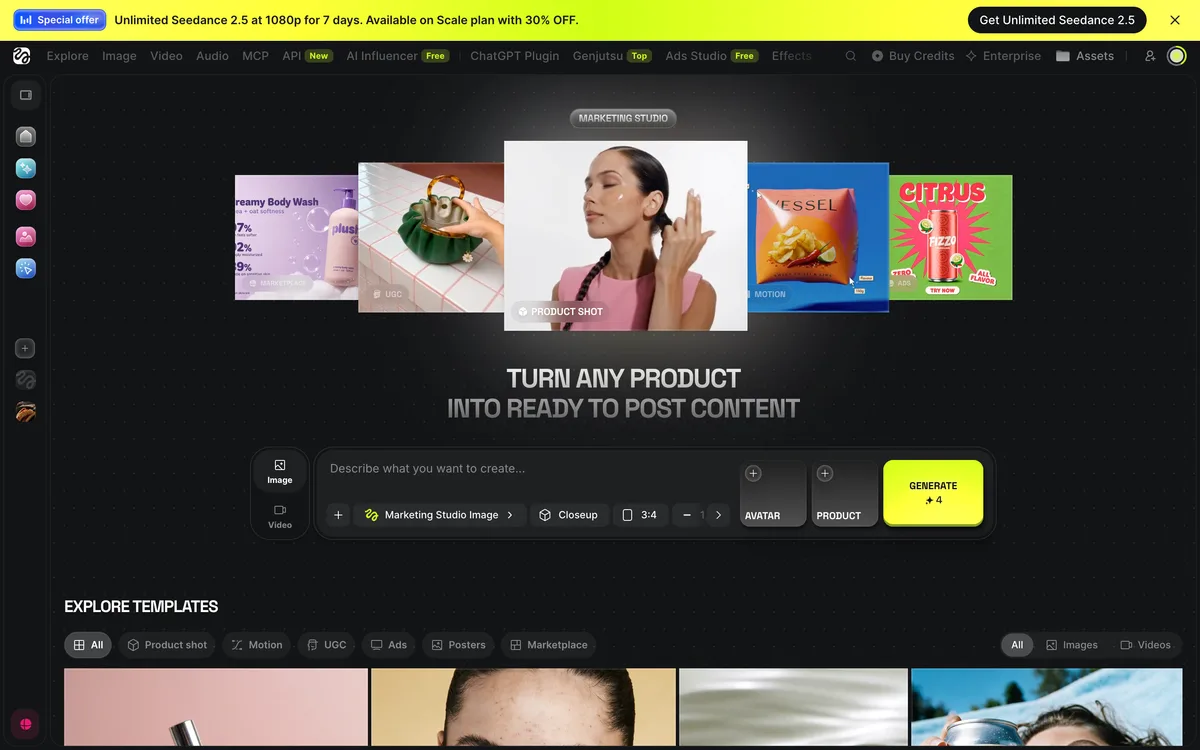
Log in to Higgsfield and open Marketing Studio. Find Product Link in the sidebar. My generations is where you can inspect submitted jobs. If you opened Ads Studio instead, switch to Marketing Studio to follow the controls shown below.
2. Add your product with Product Link
Click Product Link to open Make a video ad in one click. Paste a product-detail URL into the www.yourproduct.com field, then click Continue. You can also select an existing product from the library. Both entry methods were used during this recorded session.
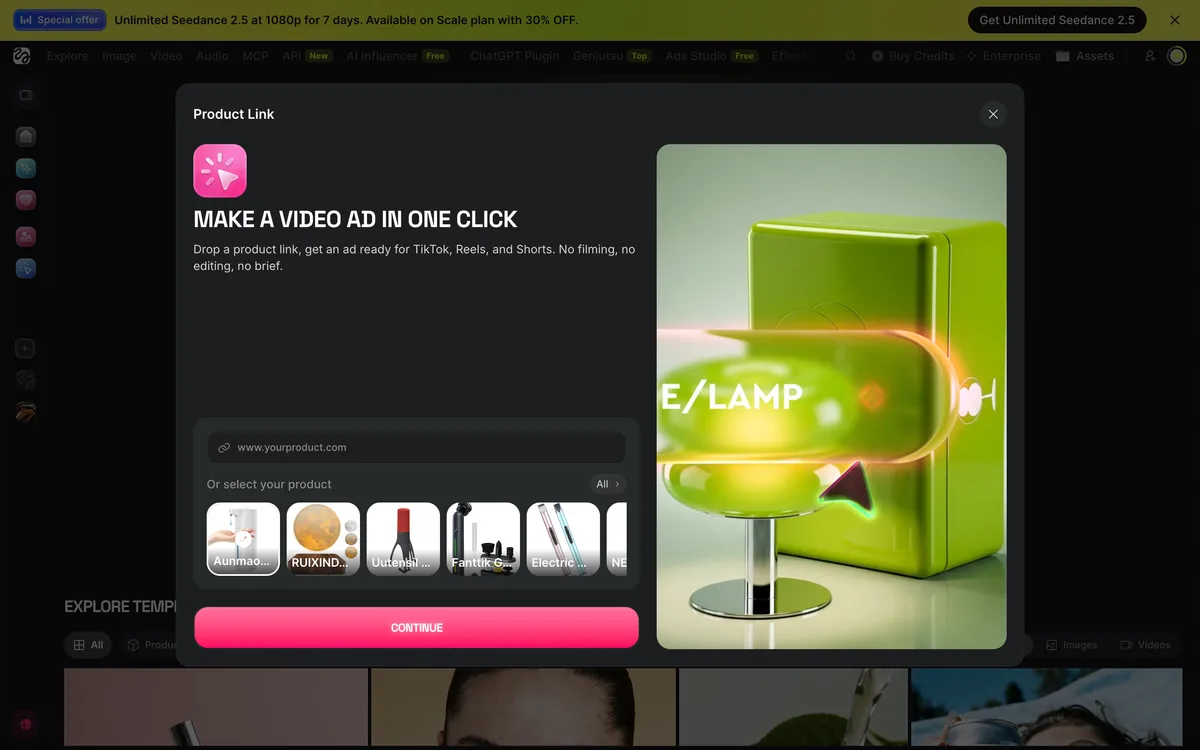
Check that the selected product name and image match your intention before generating. A homepage URL is not guaranteed to extract usable product information. If the wrong item or insufficient imagery appears, correct the input first. Accepted input and successful video generation are separate outcomes.
3. Choose an ad style
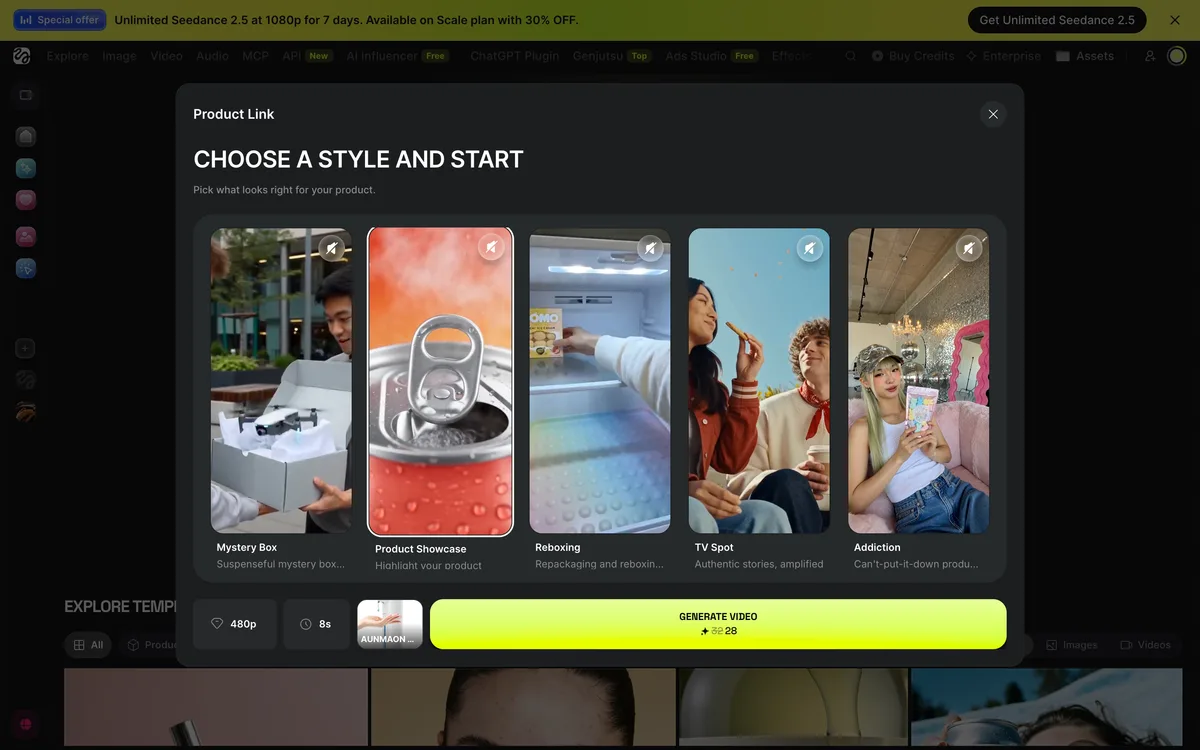
In Choose a style and start, we selected Product Showcase to focus on the product itself. Choose one format that fits your ad before making more versions. The table lists styles observed in the interface and practical selection criteria.
| Style shown in the UI | When to consider it | What to inspect |
|---|---|---|
| UGC | Presenter-led social video | Invented testimonials or claims |
| Product Showcase | Focus on the product | Shape, logo and color |
| Unboxing | Opening the packaging | Correct packaging and contents |
| Hyper Motion | Energetic product movement | Distortion and excessive motion |
| TV Spot | An advertising story | Product visibility and message |
| Tutorial | Show usage steps | Accurate actions and sequence |
Choose one style for the first draft, then change one meaningful decision for the next version. A UGC label does not make generated content a real customer testimonial. Do not describe an AI presenter as having used the product when that experience did not happen.
4. Check resolution, duration and credits
We selected 480p and kept the duration at 8s. Generate Video showed 32 crossed out and a current quote of 28 credits. Check the cost on your own button immediately before generating.
This draft used the automatic soap dispenser, Product Showcase, 480p, eight seconds and a displayed cost of 28 credits. No separate script or avatar selection was required in this flow.
Ready to choose a plan for your first ad? Log in through this affiliate link to use the up-to-50% offer during the next 3 hours.
Log in through this link: up to 50% off for 3 hours
5. Generate and inspect the job status
Once the product and settings are correct, click Generate Video. We observed Processing and Generating video states. Check the existing job before submitting the same request again. Inspect the project or open My generations for the result.
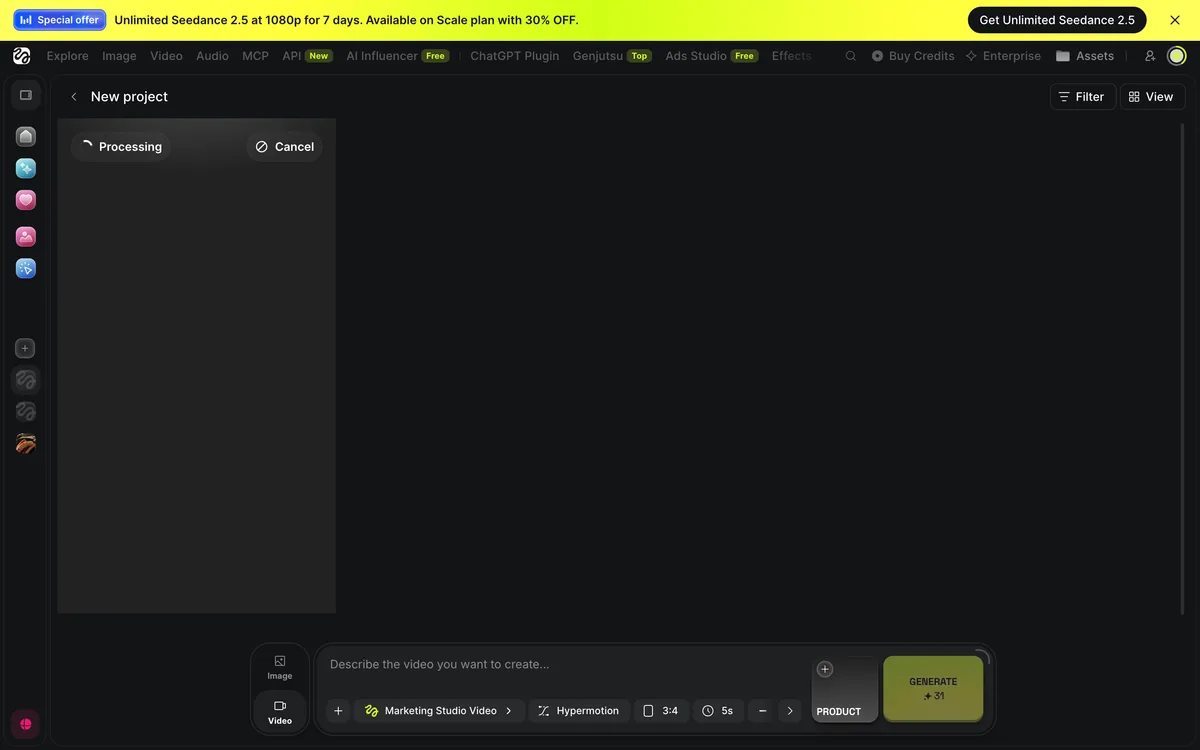
The soap-dispenser ad completed. We opened the result, played it and saved the MP4 with Download. The saved file is about eight seconds long, measures 496×864 pixels and includes audio.
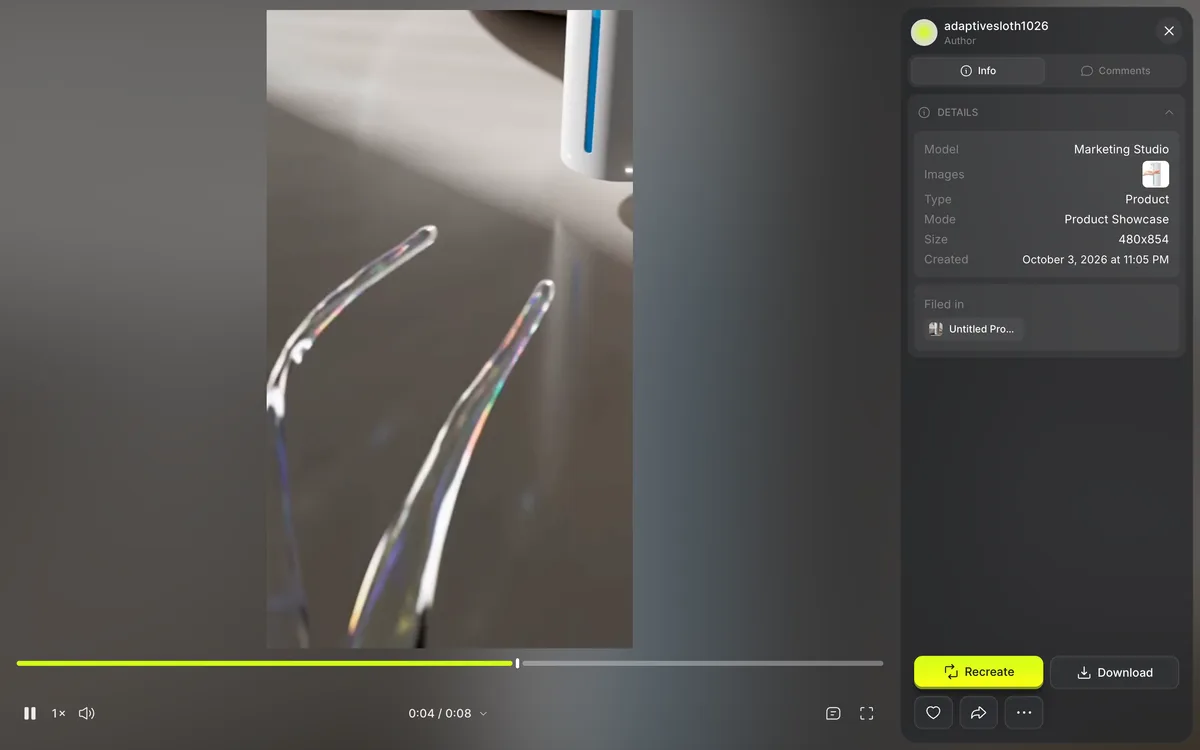
6. Play the finished video and save the MP4
Open the completed Higgsfield video and play it. This draft shows dispenser close-ups and movement. Before using it in an ad, check that the product shape and liquid effects represent its actual function accurately.
- Check product shape, color and logo against the source.
- Check speech and captions for invented features, figures or discounts.
- Do not present generated speech as an actual customer testimonial.
- Inspect broken text, hands, motion and audio.
- Make the final product and next action clear.
Open the completed result and click Download to save the MP4. We checked the saved file’s duration, dimensions and audio. Check the aspect ratio and resolution required by your publishing channel before preparing the next version.
What we checked while retrying
The first two attempts showed Failed for the website URL and NSFW for the bottle UGC. Both showed Credits refunded. The screen did not explain the NSFW trigger.
After the earlier website and bottle UGC attempts, we switched to the dispenser, Product Showcase, 480p and eight seconds. This attempt produced a finished video. Several choices changed together, so we cannot identify one change as the cause of success.
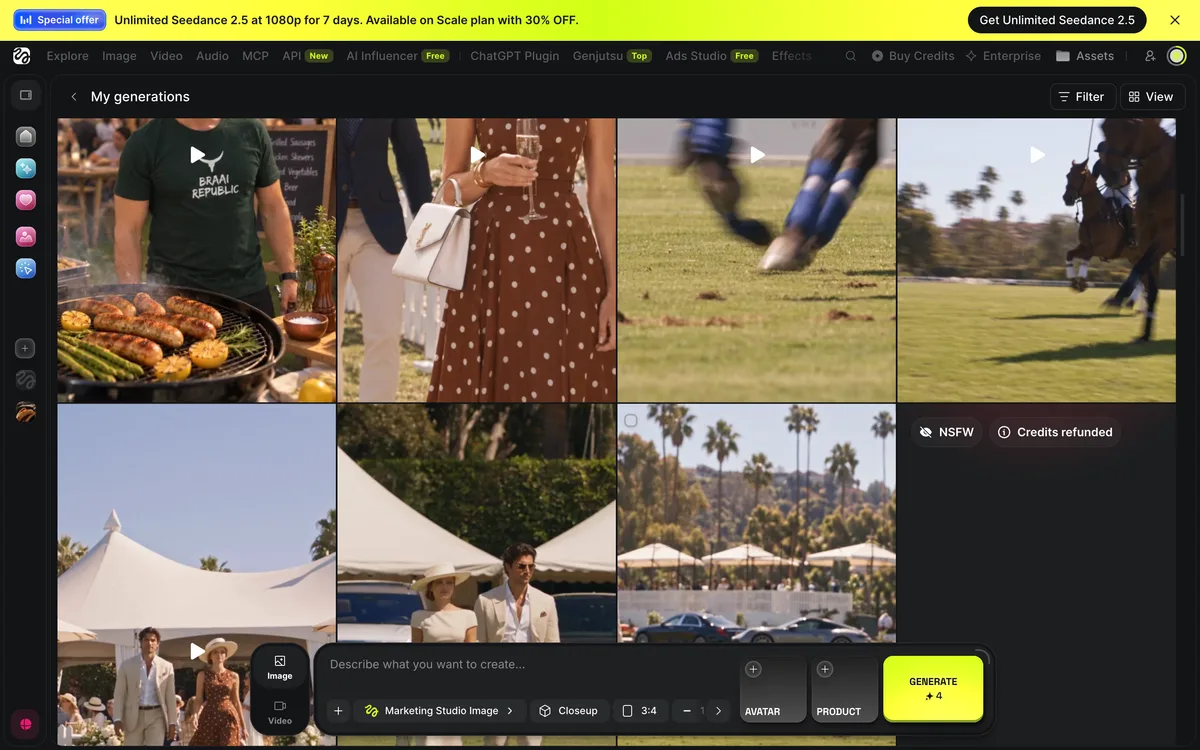
Record the status and configuration, then check the selected product imagery and text. If no cause is explained, review the product-detail URL or clear source media and contact support with the job information. For NSFW, use the service review/support process rather than trying to circumvent its restrictions.
The official credit guide points to Manage Account > Usage > Credits Usage History. Check the refund message and the actual credit balance separately. This article records the displayed Credits refunded message; it does not claim a complete reconciliation of the account ledger.
What if you opened Ads Studio?
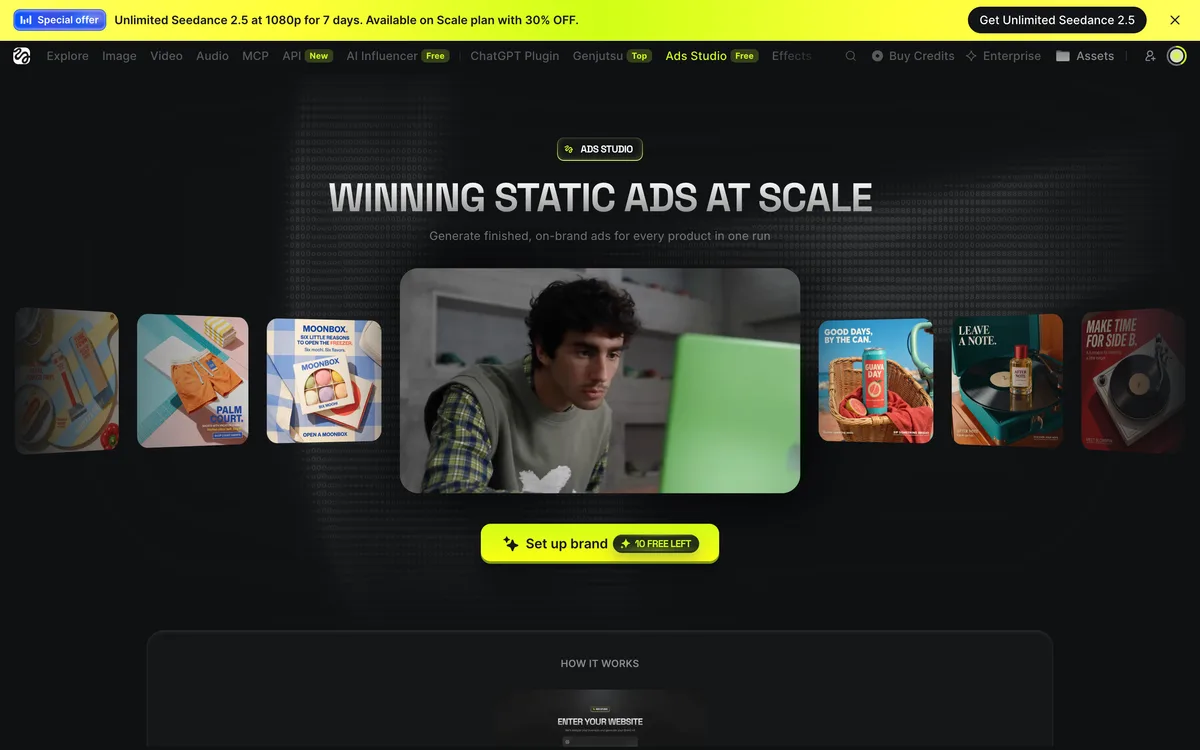
During this check, the official AI Ad Generator landing page sent its start button to Marketing Studio. The separate Ads Studio navigation item opened a static advertising workspace. Set up brand showed 10 free left for this account. That counter does not establish ten free video-ad generations.
Pricing, free access and a practical credit budget
The observed quote was 28 credits per attempt. Five attempts at that same quote would require 140 credits. Model, resolution and duration changes can alter the price, so check the button before each new attempt.
A free label in Ads Studio, video-generation credits and Unlimited access to a particular model have different conditions. The official help page says Unlimited depends on included models and availability periods, and applies on the website. Do not assume the same access carries over to API or MCP/CLI workflows.
When Arcads fits better than Higgsfield
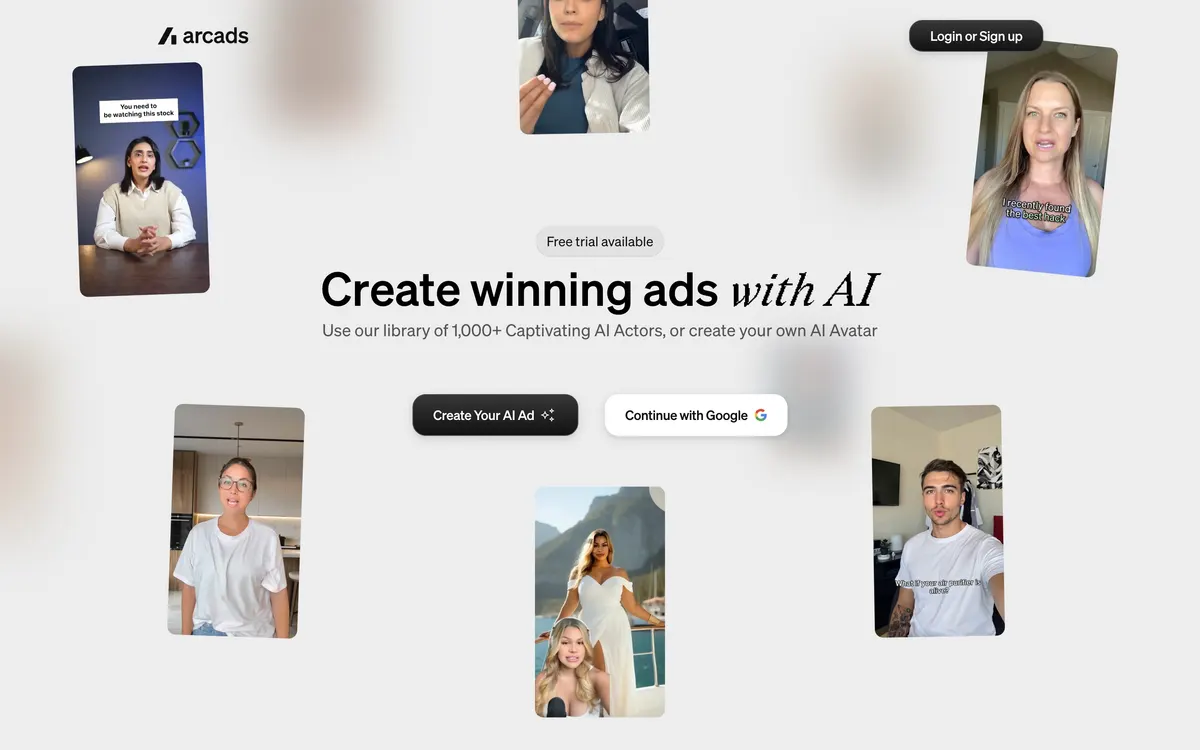
Marketing Studio builds product-showcase scenes from a product link. If the ad you need is a person talking to camera, the UGC testimonial format, Arcads is built for that job: its homepage lists a library of 1,000+ AI actors and the option to create your own avatar (checked October 22, 2026).
Arcads does not publish a pricing page. On October 22, 2026 its in-app plan screen showed 30% off monthly plans ($77, $154 and $385 against list prices of $110, $220 and $550) and a limited-time 20% off annual plans. The Arcads pricing breakdown lists the plan prices from the in-app plan screen and the per-video math, and the Arcads link with 30% off monthly plans opens the sign-up.
Frequently asked questions
Is Higgsfield AI Ad Generator free?
This Product Showcase attempt quoted 28 credits. Check free access and available credits in your signed-in account.
Does the product URL alone finish the ad?
After importing, check the product name, image, style and settings, then click Generate Video. Play the completed result and use Download to save it.
Are 480p and eight seconds the maximum settings?
We chose them for a short draft. Check the current resolution and duration controls, and review the cost whenever you change a setting.
How do I get the Higgsfield 3-hour offer of up to 50% off?
Open a Higgsfield affiliate link in this guide and sign up or log in. The up-to-50%-off window lasts for 3 hours from login through the link. Use this link to log in and complete checkout within that window to claim the offer.
Start with one product and one style
Start with one product and one style in Higgsfield. Play the completed video, check that it represents the product accurately, then choose what to change for the next draft.
Sign up or log in through the Higgsfield link below and start creating ads with up to 50% off during your 3-hour offer window.
Log in through this link: up to 50% off for 3 hours
Read the Magnific vs Higgsfield pricing and use-case comparison
Interface and official help checked October 3, 2026. Screenshots show the English UI; layout and generation costs may change.
Explore the available options
Confirm the final price, eligibility, and refund terms on the seller page before purchasing.
Higgsfield AI Ad Generator
Log in through this link: up to 50% off for 3 hoursSources & verification dates
- Higgsfield AI Ad Generator ↗2026-10-03
- Higgsfield Marketing Studio ↗2026-10-03
- Higgsfield Ads Studio ↗2026-10-03
- Higgsfield pricing ↗2026-10-03
- How credits work ↗2026-10-03
- Unlimited model availability ↗2026-10-03
- Arcads - Create winning ads with AI ↗2026-10-22
- Arcads in-app plan screen (logged in, captured 2026-10-22) ↗2026-10-22
2 options checked in this guide
See the options