Higgsfield AI ad generator official page Higgsfield AI ad generator · Official website screenshot for editorial identification
Search results for ai ad generator contain many landing pages but few decision frameworks. The top results are almost entirely vendor landing pages. They show a fast first output but do not compare revision control, source assets, brand consistency, and handoff. This guide compares the options through ad creative tools compared.
The short answer: start with Higgsfield for product-link and video-led campaign concepts, Canva for design variants and team templates, and Creatify for performance-style video ad drafts, and Arcads for UGC-style ads with AI actors talking to camera. Do not pick from a demo image alone. Use the same source material and the same acceptance checks across every trial.
ai ad generator comparison
Option
Best for
Input
Check before paying
Higgsfield
product-link and video-led campaign concepts
product assets, URL, prompt
brand accuracy and scene claims
Canva
design variants and team templates
brand kit, copy, images
asset licenses and approval flow
Creatify
performance-style video ad drafts
product URL and media
script accuracy and avatar disclosure
Arcads
UGC-style ads with AI actors talking to camera
script, product link, actor choice
actor realism, AI-content labeling and plan price (not published; in-app on 2026-10-22: 30% off monthly, 20% off annual)
InVideo
template-led video ads
brief, script, media
stock usage and export terms
Adobe Express
lightweight branded ad layouts
copy and media
format variants and final editing
On September 15, 2026, Google US ranked 'Canva Grow, your new AI Ad Generator' first and 'Free AI Ad Generator: Make AI Ads & Video Ads Online' second. The first-page titles make the gap visible: most explain one product, while the table above asks the same four questions of every option. That matters because a free label, a polished gallery, and a usable production workflow are different things.
Define the input before comparing features
Pick a tool by campaign format, input assets, approval process, and the number of variations you can review responsibly. Write down the source material, required output, reviewer, and delivery format before comparing products. A tool that accepts the wrong input will create extra conversion work and hide quality problems.
Use one representative sample. It should include the awkward part of the job: a proper noun, a difficult edge, a branded object, a formula, a repeated person, or a noisy recording. Easy samples produce reassuring demos but weak purchasing evidence.
Higgsfield: prepare product assets, URL, prompt and verify brand accuracy and scene claims.
Canva: prepare brand kit, copy, images and verify asset licenses and approval flow.
Creatify: prepare product URL and media and verify script accuracy and avatar disclosure.
Arcads: prepare a short script and product link and verify actor realism and how the ad will be labeled as AI-generated.
InVideo: prepare brief, script, media and verify stock usage and export terms.
Adobe Express: prepare copy and media and verify format variants and final editing.
A practical evaluation workflow
Define the final use and the person who approves it.
Remove private, licensed, or customer material that is not needed for the test.
Run the same small input through two realistic candidates.
Score factual fidelity, edit time, export quality, and repeatability.
Check the current plan, terms, and deletion controls before scaling the workflow.
Do not hide correction time. An output that appears impressive but takes extensive cleanup can cost more than a slower first draft. Record the edits in plain language. The notes will also help another team member reproduce the result.
How to compare cost without stale price claims
Plan pages change too often for a fixed number to remain useful. Compare the cost of one completed job instead. Include input limits, generations or processing time, exports, commercial-use requirements, team access, and the number of retries needed for an acceptable result.
The Higgsfield affiliate link in this article is a route to the current plan and usage information. It is not a promise of a discount or free access. Confirm currency, tax, renewal, cancellation, and what happens to stored material after the account changes.
Privacy, rights, and governance checks
Before uploading real work, identify who owns the source, who may appear in it, and where the output will be published. Voice, face, customer, and branded-product material requires more care than a disposable sample.
Check whether uploads may be used for model training or service improvement.
Separate commercial-use rights from ownership of the source material.
Review consent for recorded meetings, cloned voices, and identifiable people.
Confirm who can view, export, and delete team data.
Keep the original so generated changes can be traced and corrected.
When each option makes sense
Higgsfield
Higgsfield belongs on the shortlist when the main job is product-link and video-led campaign concepts. Prepare product assets, URL, prompt before opening the tool. That makes the first run a controlled test rather than an open-ended demo.
The buying check is brand accuracy and scene claims. Review the current product page and terms on the same day. Save the source material, the output, and a short note about what required manual correction. That record is more useful than a generic quality score because it reflects your real workflow.
Canva
Canva belongs on the shortlist when the main job is design variants and team templates. Prepare brand kit, copy, images before opening the tool. That makes the first run a controlled test rather than an open-ended demo.
The buying check is asset licenses and approval flow. Review the current product page and terms on the same day. Save the source material, the output, and a short note about what required manual correction. That record is more useful than a generic quality score because it reflects your real workflow.
Creatify
Creatify belongs on the shortlist when the main job is performance-style video ad drafts. Prepare product URL and media before opening the tool. That makes the first run a controlled test rather than an open-ended demo.
The buying check is script accuracy and avatar disclosure. Review the current product page and terms on the same day. Save the source material, the output, and a short note about what required manual correction. That record is more useful than a generic quality score because it reflects your real workflow.
Arcads
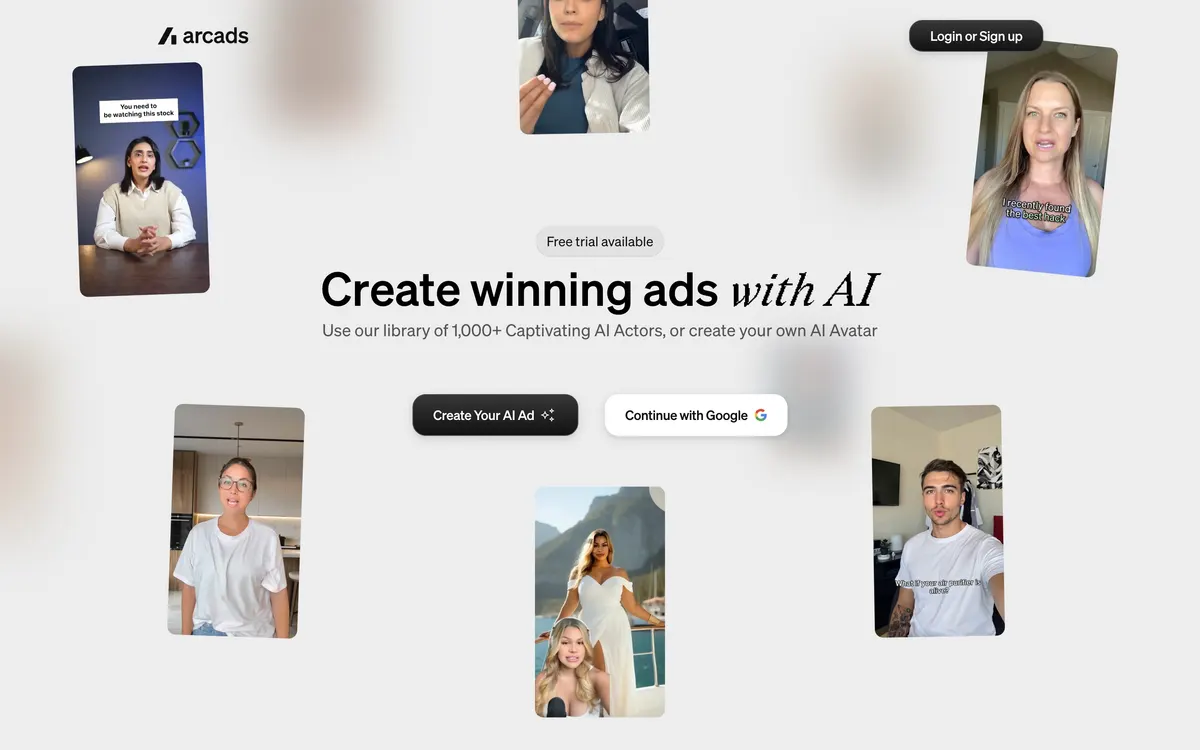
Arcads homepage (official site, captured October 22, 2026)
Arcads belongs on the shortlist when the ad format is a person talking to camera, the UGC testimonial style used in paid social. Its homepage lists a library of 1,000+ AI actors and the option to create your own avatar (checked October 22, 2026). The Arcads homepage also lists Product Showcase and Unboxing tools, so if your ad centers on product scenes rather than a speaker, test the same product in both Arcads and Higgsfield before choosing.
The buying check is price and labeling. Arcads does not publish a pricing page, so the plan screen appears only after sign-up. On October 22, 2026 that screen showed 30% off monthly plans ($77, $154 and $385 against list prices of $110, $220 and $550) and a limited-time 20% off annual plans. See the Arcads pricing breakdown for plan prices from the in-app plan screen, or open Arcads through the Arcads link with 30% off monthly plansAffiliate link: Fieldnotes earns a commission if you purchase through this link..
InVideo
InVideo belongs on the shortlist when the main job is template-led video ads. Prepare brief, script, media before opening the tool. That makes the first run a controlled test rather than an open-ended demo.
The buying check is stock usage and export terms. Review the current product page and terms on the same day. Save the source material, the output, and a short note about what required manual correction. That record is more useful than a generic quality score because it reflects your real workflow.
Adobe Express
Adobe Express belongs on the shortlist when the main job is lightweight branded ad layouts. Prepare copy and media before opening the tool. That makes the first run a controlled test rather than an open-ended demo.
The buying check is format variants and final editing. Review the current product page and terms on the same day. Save the source material, the output, and a short note about what required manual correction. That record is more useful than a generic quality score because it reflects your real workflow.
Common mistakes that make comparisons unreliable
The first mistake is changing both the tool and the input. The second is comparing a free preview with a paid production setting. The third is judging only the best result and ignoring how many retries produced it. The fourth is overlooking exports until the end. The fifth is assuming a vendor gallery proves performance on your subject matter.
For a reproducible comparison, hold the input, goal, reviewer, and written pass-fail standard constant. Creative exploration can follow after the purchasing evidence is recorded.
Frequently asked questions
Can I start with a free plan?
A free plan can be suitable for a controlled sample. It does not automatically include the export, commercial-use, storage, or team rights needed for production. Check the current plan page before publishing client or revenue-generating work.
How do I compare output quality?
Use the same source and inspect factual fidelity, missing elements, artifacts, edit time, and consistency across repeated runs. A single attractive output is not enough to show repeatability.
Should I upload customer material?
Use a cleared sample first. Upload customer or confidential material only after the service terms, company policy, access controls, and deletion process have been reviewed by the responsible owner.
Does the affiliate link guarantee a better price?
Not for every tool. The Higgsfield link leads to its current plan and usage information and is not a discount promise. The Arcads link is different: on October 22, 2026 the Arcads in-app plan screen showed 30% off monthly plans ($77, $154 and $385 against list prices of $110, $220 and $550) and a limited-time 20% off annual plans. That offer is set by Arcads and can change, so confirm the price on the checkout screen before paying.
What is the fastest way to choose?
Pick a tool by campaign format, input assets, approval process, and the number of variations you can review responsibly. Then compare two candidates with one difficult sample and include correction time in the result.
When should I avoid automation?
Avoid unattended use when an error could misstate a product, expose private information, change a calculation, or publish a claim about a person. Keep a human approval step for consequential output.
Bottom line: choose a ai ad generator workflow by input fit, review burden, rights, and repeatability. Higgsfield is a sensible first check for product-link and video-led campaign concepts, but verify brand accuracy and scene claims before paying.
Features and terms were checked on September 15, 2026 and may change.
Explore the available options
Confirm the final price, eligibility, and refund terms on the seller page before purchasing.