Affiliate link: Fieldnotes earns a commission if you purchase through this link.
Most people searching for a Wispr Flow review already know the pitch: speak into any text field and get clean, punctuated writing back. The real questions are narrower. Is the free plan enough, what does Pro cost, and is it safe to send your voice to a cloud service?
This review is research-based, not hands-on. We compared Wispr Flow's official pricing, help center, privacy pages, changelog and terms on October 9, 2026, and attribute every complaint to its source. Detailed price math lives in our Wispr Flow pricing guide; this page focuses on whether it is worth it and whether it is safe.
Quick answer: Wispr Flow is worth paying for if you dictate more than 2,000 words a week on a computer, move between desktop and phone, and accept cloud-only processing. Stay on the free plan if you dictate occasionally. Pick an offline tool instead if your audio must never leave the device.
Wispr Flow plans at a glance
Plan
Price
Dictation limit
What changes
Good fit
Free
$0
2,000 words per week on desktop, 1,000 per week on mobile
Shared dictionary and snippets; Command Mode (beta) on Mac and Windows
Daily dictation without a year's commitment
Pro, annual
$144 per user per year ($12 per month equivalent)
Unlimited dictation
Same as Pro; annual billing saves 20% on Pro
Heavy users who already know they will keep it
Student
Free annual plan for selected verified students, otherwise $7.50 per month or $72 per year
Check in the app
Eligibility decided per account
Students who dictate notes and essays
Growth, dictation only
$23 per user per month or $216 per user per year ($18 per month equivalent)
Unlimited dictation
Team admin controls, including model-training policy
Small teams that only need dictation
Growth, dictation and Notetaker
$33 per user per month or $312 per user per year ($26 per month equivalent)
Unlimited dictation
Adds Notetaker for meetings (up to 150 meetings per week on paid plans)
Teams that also want meeting notes
Enterprise
Custom, contact sales
Unlimited dictation
Model training off and locked
Organizations with procurement and compliance reviews
What Wispr Flow does, and on which devices
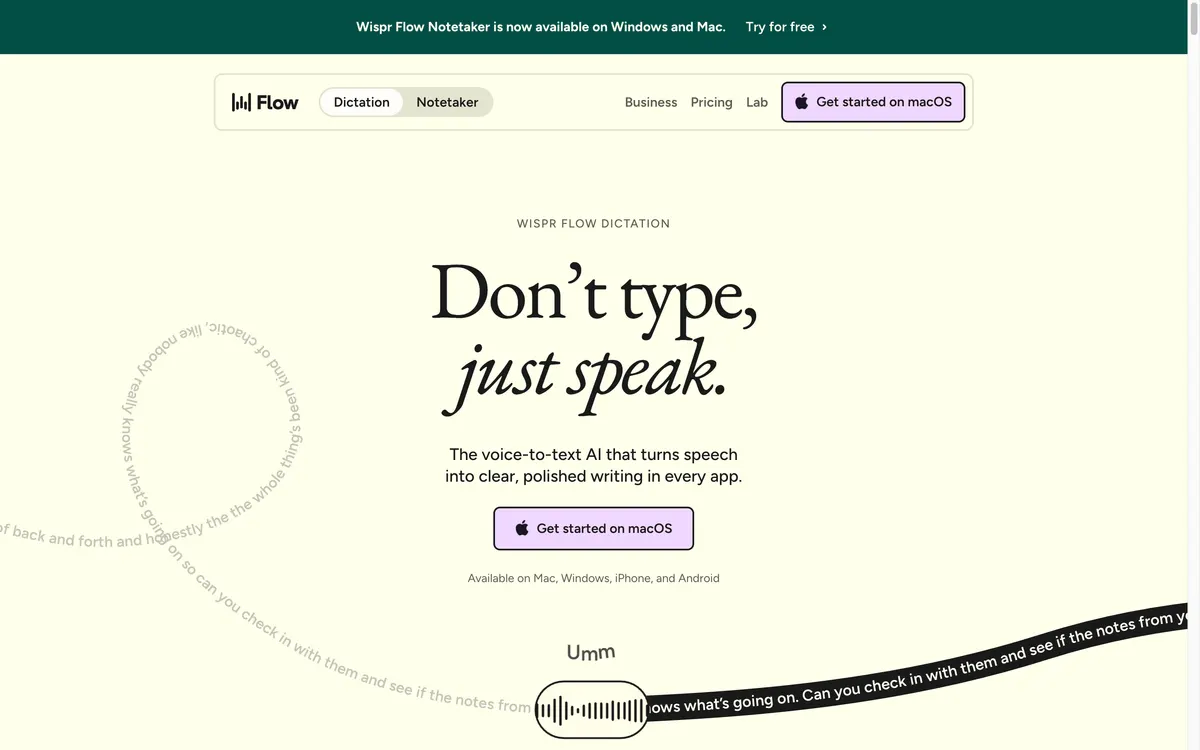
Wispr Flow is an AI voice dictation app made by Wispr AI, Inc. It works in any app where you can type, with no plugins, and its cleanup step removes filler words, adds punctuation and formats lists. A personal dictionary learns spellings you correct, and snippets turn a spoken shortcut into saved text. Both are on the free plan.
Platforms: Mac, Windows, iPhone and Android. Android needs version 13 or newer, and the Android page says tablets are not yet optimized. The iPhone app needs iOS 18.3 or later.
No Linux or web app is listed on the official pages we checked.
Languages: the help center says Flow dictates in 100+ languages, but it detects one language per dictation, not per word.
Speech model: since September 17, 2026, Flow runs on Canto, Wispr's own speech model. The accuracy comparison Wispr published for Canto is a company-run benchmark, so treat it as a vendor claim rather than an independent test.
Notetaker, an included extra, transcribes meetings on Mac and Windows without a bot joining the call. The core product is dictation.
Is Wispr Flow free? The weekly limits in detail
Yes, there is a free plan at $0, but it is capped per week, not per month. The pricing page lists 2,000 words per week on desktop and 1,000 words per week on mobile. The help center adds the details that decide whether the cap will bother you:
Counts reset every Sunday at 12 a.m. Pacific Time, and unused words do not carry over.
Mobile and desktop words are counted separately.
On iPhone, dictation continues but slows down at 1,000 words, and at 1,500 words a card blocks new dictations until the reset.
On Android, dictation is capped at 1,500 words until the weekly reset.
For scale, 2,000 words a week is about 285 words a day. Short replies fit easily; daily document or prompt drafting by voice will likely hit the desktop cap midweek.
Wispr Flow cost: is Pro worth it?
Pro costs $15 per user per month on monthly billing, or $144 per user per year on annual billing, which works out to $12 per month. On iPhone, the App Store also lists a Pro Weekly in-app purchase at $4.49. The main thing Pro buys is unlimited dictation, plus Command Mode, a beta voice-editing feature that is off by default and only available on Mac and Windows.
Whether $144 a year is worth it depends on how much you type. Wispr's homepage claims Flow is 4x faster than a keyboard, and the top Reddit review reported going from about 30 to 35 words per minute typed to about 102 dictated. Neither is a controlled test.
Before you subscribe, note the terms of service: refunds are only issued if required by law, plans renew automatically until you cancel, and annual subscribers get a reminder email before renewal. You can cancel paid services at any time. If you bought through the App Store, Apple manages changes and refunds. A trial reverts to the free plan after a 3-day grace period.
If you have read this far and your weekly word count is clearly above the free cap, you can try Wispr Flow free (weekly word limit)Affiliate link: Fieldnotes earns a commission if you purchase through this link. first and upgrade only after you have watched your own usage for a week. This link has no special discount.
Wispr Flow privacy concerns: is Wispr Flow safe?
The honest answer is that Wispr Flow is a cloud service with published controls and audits, but several defaults deserve a look on day one.
Cloud-only transcription. The data-controls page says transcription always occurs on the cloud. There is no offline mode, and customer data is processed and stored in the United States.
Audio retention. Your audio is deleted as soon as it is transcribed, unless you turn on Dictation cloud storage. Local history can be kept, auto-deleted after 24 hours, or never saved.
Model training is on by default for Free and Pro. The setting called "Improve the model for everyone" is on by default for those plans and can be turned off. Wispr's privacy page says that when it is off, nothing you say is used to train its models. On Enterprise it is off and locked. For Growth, the privacy page says it is locked off while the pricing table describes admin control, so confirm with your admin.
Context awareness. This setting reads limited text from the app you are dictating into so names and jargon come out right. Turn it off and Flow transcribes without reading anything on your screen.
Encryption. Data is encrypted in transit and at rest, but the security FAQ says it is not end-to-end encrypted in the strict sense. Wispr states it does not sell your data.
Audits. The Trust Center provides a SOC 2 Type II report and an ISO/IEC 27001:2022 certificate. The security FAQ notes that Notetaker launched after those audit periods and was not assessed.
HIPAA. A Business Associate Agreement is available on any plan for dictation, and accepting it turns off Notetaker and Scratchpad.
Notetaker has stricter limits on your control. Meeting transcripts and summaries are stored in Wispr's cloud with no customer setting to opt out of that storage, and uploaded meeting audio is kept for 7 days. If you handle client data, the safest setup is dictation only, with model training and cloud storage switched off, and context awareness switched off where needed.
Wispr Flow reviews and complaints: what users report
The complaints that rank in Google fall into three groups. Read them as reports, not measurements.
Screen context and privacy. A December 2025 Medium post by Jacob Shrott said context awareness captured screenshots of the active window, and the author cancelled over it. That post predates Wispr's current privacy page, which describes context awareness as reading limited text and offers an off switch. We could not confirm what was captured then versus now.
Resource use and Windows stability. The same author reported heavy RAM use on Windows, fans spinning while idle, and freezes that sometimes locked the target app. We found no current independent measurement of Windows performance, so if Windows is your main machine, use the free week to watch it yourself.
Noise, microphones and the free cap. The top Reddit review thread praised accuracy in English and use in any text field, but listed noisy rooms, laptop microphones and the limited free tier as downsides.
Wispr's own changelog documents problems it later fixed: slower dictation, lower accuracy or sign-in trouble for some users (June 17, 2026), formatting issues including words swapped for ones the user did not say (June 24), and an Auto Cleanup setting that was too aggressive for some users (July 9). All are marked fixed, but output quality can shift between updates.
Documented limitations to check before paying
No offline use. You need an internet connection to transcribe.
Uneven features across devices. Styles (tone presets) are only available in English and on desktop. Command Mode runs on Mac and Windows only. Notetaker is Mac and Windows only. On iPhone and Android, snippets paste as plain text.
No file transcription. Wispr says it does not support file uploads for transcription yet.
Language detection gaps. Flow cannot recognize Urdu, Hebrew or Ukrainian from speech alone, so you select those manually.
Wispr Flow review on iPhone
The App Store lists Wispr Flow as an AI voice keyboard that requires iOS 18.3 or later. The App Store listing showed 4.8 out of 5 from about 17,000 ratings on October 9, 2026, and Google Play showed 4.5 stars with 1M+ downloads; both change daily. The practical limits are the 1,000-word weekly mobile allowance on the free plan, the slowdown and the 1,500-word block, and the fact that Command Mode's in-place editing is not currently working on iOS.
Wispr Flow vs Superwhisper and other alternatives
The alternative most often named in reviews is Superwhisper. Its docs say the free plan gives unlimited dictation with local Whisper models, and on the free plan nothing you dictate leaves your device. Superwhisper Pro is listed at $8.49 per month, $84.99 per year, or $249.99 once for a lifetime license, and it offers a 30-day refund window on first web purchases. Its free modes have no AI processing, though, so Wispr-style cleanup requires Pro. We cover the full comparison in Wispr Flow vs Superwhisper.
In short: Wispr Flow costs more on annual Pro ($144 vs $84.99 per year) and runs only in the cloud. A local-first tool such as Superwhisper fits people who want offline processing or a one-time purchase.
Frequently asked questions
Is Wispr Flow free?
Yes. The free plan costs $0 and allows 2,000 words per week on desktop and 1,000 words per week on mobile, reset every Sunday at 12 a.m. PT. Unused words do not roll over.
How much does Wispr Flow charge per month?
Pro is $15 per user per month on monthly billing, or $12 per month equivalent when billed $144 per year. Growth starts at $23 per user per month for dictation only, or $33 with Notetaker.
Is the app Wispr Flow safe?
It publishes a SOC 2 Type II report and ISO 27001:2022 certificate for dictation, encrypts data in transit and at rest, and says it does not sell data. All transcription is in the cloud, and model-improvement sharing is on by default for Free and Pro, so switch it off if that matters to you.
Does Wispr Flow work offline?
No. Wispr's data-controls page says transcription always occurs on the cloud. If you need offline dictation, look at a tool with local models.
Is anything better than Wispr Flow?
It depends on the constraint. For offline processing or a one-time license, Superwhisper's local models and $249.99 lifetime option fit better. If you are fine with cloud processing and want the same app on Mac, Windows, iPhone and Android, Wispr Flow covers all four.
Verdict: who should pay, stay free, or look elsewhere
Pro is the plan to pay for if you dictate more than 2,000 words a week on a computer and you are comfortable with cloud processing. That typically means people who draft long messages, documents or AI prompts by voice every day.
Stay on the free plan if you dictate a few messages a day; the weekly cap will rarely bite. Choose an offline tool instead if you work under strict confidentiality, need Linux or file transcription, or prefer a one-time purchase. Whichever group you are in, turn off model training and review context awareness on day one. If Pro fits, try Wispr Flow free (weekly word limit)Affiliate link: Fieldnotes earns a commission if you purchase through this link. and upgrade once your own word count shows you need it.
Prices and plan details checked on October 9, 2026 and may change.
Explore the available options
Confirm the final price, eligibility, and refund terms on the seller page before purchasing.
.jpg)