Talking Photo AI: Make One Photo Talk With Hedra (2026)
Talking photo AI guide: turn one portrait and a voice clip into a lip-synced video in Hedra Studio, with photo tips, plan and watermark terms and consent rules.
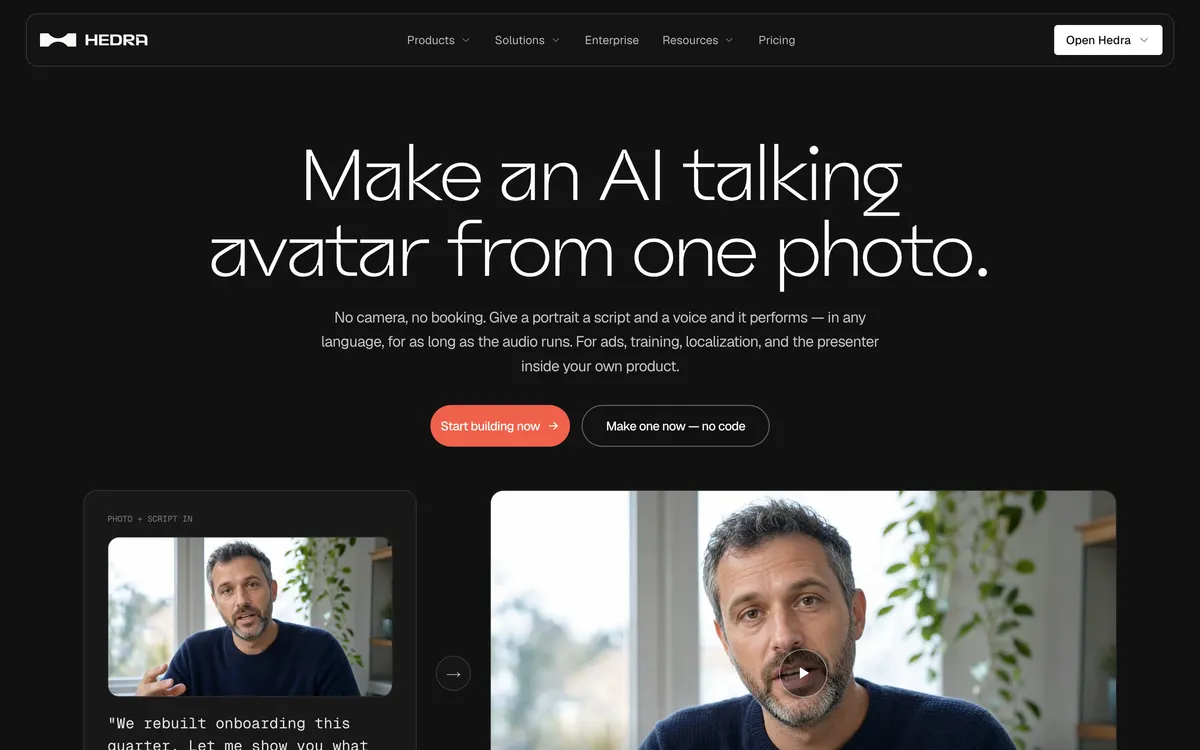
Hedra 'AI talking avatar' use-case page (official site, captured October 22, 2026) Hedra · Official website screenshot for editorial identification
Recommended for these needs
View on the official site
Pick for talking photos
Audio-driven Avatar workflow from one still, with length and delivery set by your own recording; every paid plan includes watermark-free commercial output.
Talking photo AI turns one still picture and one voice recording into a video where the face speaks the words, with the mouth, jaw and expression following the audio. This guide shows how to do it in Hedra Studio with screenshots captured on October 22, 2026, and answers the questions people search next: which photo works, where the voice comes from, whether it is free, and whose face you are allowed to use.
Every rule and price below comes from Hedra's own pages (talking photo, talking avatar and lip sync use cases, pricing, Acceptable Use Policy, Biometric Data Policy and Terms of Use), each checked on the same date. Where Hedra does not publish a number, this guide says so instead of guessing.
Quick answer
What you need: one picture with a clear face pointed roughly at the viewer, plus a recording or a typed script. In Hedra Studio this is the Avatar tab: a start frame and a voice.
How long it can run: the take runs as long as the audio. Hedra says Character 3 goes up to ten minutes in a single generation.
Free or not: Hedra's official pricing page lists no free plan. Its Studio tab shows paid monthly plans from Basic at $20 (2,000 credits) up to Ultra, Teams and Enterprise, and Hedra states that commercial rights and unwatermarked output come with every paid plan.
Whose face: Hedra's Acceptable Use Policy bars photos, audio or video of anyone other than yourself, with an exception for people who died at least 100 years ago.
What talking photo AI does in Hedra
Hedra describes talking photo AI as "a face and a recording" in, a performance out. The model reads the waveform, including where the stress lands and where the breath goes, and rebuilds the face to match. That is why Hedra calls it audio-driven: the recording sets the timing and the emotion, not a text prompt.
The picture does not have to be a photograph. Hedra's talking photo page lists photographs, illustrations, cartoons, 3D characters, stop-motion puppets and paintings as valid inputs, as long as the face is legible. A mascot or a drawn brand character can therefore speak the same script as a real portrait.
Two Hedra models are named for this job: Hedra Character 3 and Hedra Avatar. Hedra's pages also list third-party avatar models that run on the same engine. The lip sync page adds that language is "a property of the audio you send, not a setting you pick", so an English, Japanese or German recording all drive the same still.
How to make a talking photo with AI in Hedra Studio
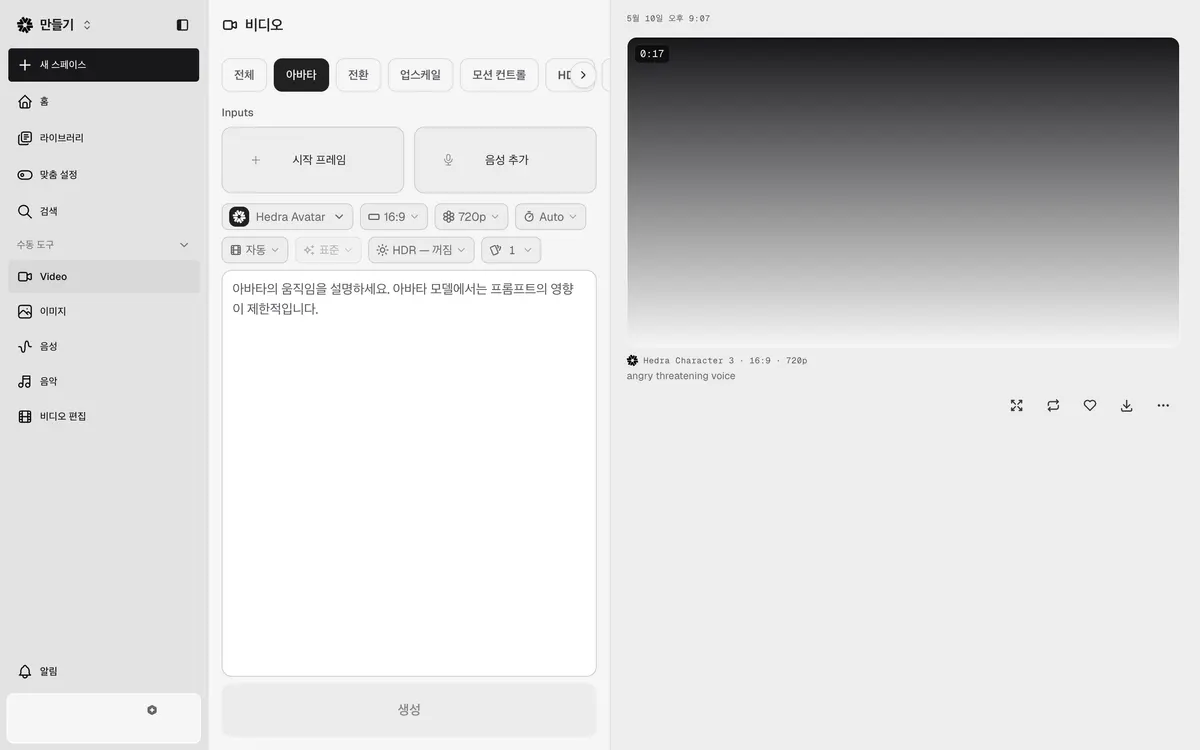
The screenshot below is the Video tool in Hedra Studio with the Avatar tab open. The account used for this guide shows the Korean interface, so the labels in the picture are Korean; the English meaning of each label is given in the steps.
Hedra Studio Video tool, Avatar tab (Korean interface, captured October 22, 2026, account details hidden)
Open Studio and pick Video. Sign in, then choose Video under the manual tools in the left menu. The tabs across the top are All, Avatar, Transition, Upscale, Motion control, HDR and Background removal.
Select the Avatar tab. Two inputs appear: Start frame (시작 프레임) for the picture and Add voice (음성 추가) for the audio.
Add the start frame. Upload the portrait, illustration or character still you want to animate. The checklist in the next section covers what makes it work.
Add the voice. Attach a recording or create speech from a script. The four audio routes Hedra lists are explained below.
Check the settings row. In the capture, the model is Hedra Avatar, the frame is 16:9, resolution is 720p and duration is Auto. Auto matters: with an audio-driven model the length follows the recording.
Write a short motion note, or skip it. The prompt box hint reads, in translation, "Describe the avatar's movement. Prompt influence is limited for the avatar model." Treat the prompt as a nudge, not a script.
Generate and download. Press Generate (생성). Finished takes appear on the right with their model, ratio and resolution (the capture shows an earlier take labeled Hedra Character 3, 16:9, 720p) and a download icon under the player.
If you want a guided start instead of manual settings, the Studio home screen also has a presenter template described as "Give your idea a face and a voice on camera". The manual Avatar tab gives you direct control over the frame, voice and resolution.
What makes a good source photo
Hedra's answer to "What kinds of photos can I use?" is short: "Anything with a clear, legible face pointed roughly at the viewer." From that rule, a practical pre-upload check:
One readable face. The mouth, jaw and eyes should be visible and not covered by hands, hair, a microphone or heavy shadow.
Facing the camera. A face turned roughly toward the viewer gives the model a mouth to rebuild. A strict profile works against the rule above.
Frame it for the output. The capture uses 16:9 at 720p. Crop the still so the face sits where you want it in that frame before you upload.
Two speakers need two tracks. Hedra's talking avatar page says a two-person frame takes one audio track per speaker, marked by where each person sits.
Use a picture you have the right to animate. This is a policy rule, not a quality tip. See the consent section below.
Talking photo AI voice options and lip sync
The face follows whatever waveform arrives, so the audio decides both the words and the delivery. Hedra lists four ways to supply it:
Upload audio you already have, such as a voice-over take or a track you own.
Record straight in from your microphone.
Type a script and pick a voice. Hedra's voice roster includes several third-party speech models.
Clone a voice from a sample you own. On the API price list, voice cloning is marked "free"; Studio usage is billed in credits.
Because the take runs exactly as long as the audio, trim silence at the start and end of the recording before you generate. A 10-second recording becomes a 10-second video. Hedra's pricing FAQ confirms credits are deducted by generated video length: a 10-second Character-3 video is charged for 10 seconds, not a full minute.
If the result looks flat, change the recording rather than the prompt. A more expressive read produces a more expressive face, since the avatar model gives the prompt limited weight.
Is talking photo AI free in Hedra? Plans, credits and watermark
The official pricing page does not show a free plan. Its Studio tab lists paid monthly plans only, from Basic at $20 for 2,000 credits up to Ultra, Teams and custom Enterprise. Two official statements cover the watermark question:
The talking avatar FAQ: commercial use is "Yes, on a paid plan - commercial rights and unwatermarked output come with every one of them."
The pricing FAQ: after cancelling, you keep only "limited watermarked generations".
Unwatermarked output and commercial use come with every paid plan. The Studio plans shown on hedra.com/pricing on October 22, 2026:
Plan
Price
Credits per month
Listed features
Basic
$20/month
2,000
Slower generations, commercial use
Pro
$50/month
7,200
Faster generation, commercial use
Ultra
$100/month
18,000
Fastest generation, commercial use, allowances up to 57,600 credits/month, Teams plan access
Teams
$75/month
14,400
Fastest generation, commercial use, Teams plan access
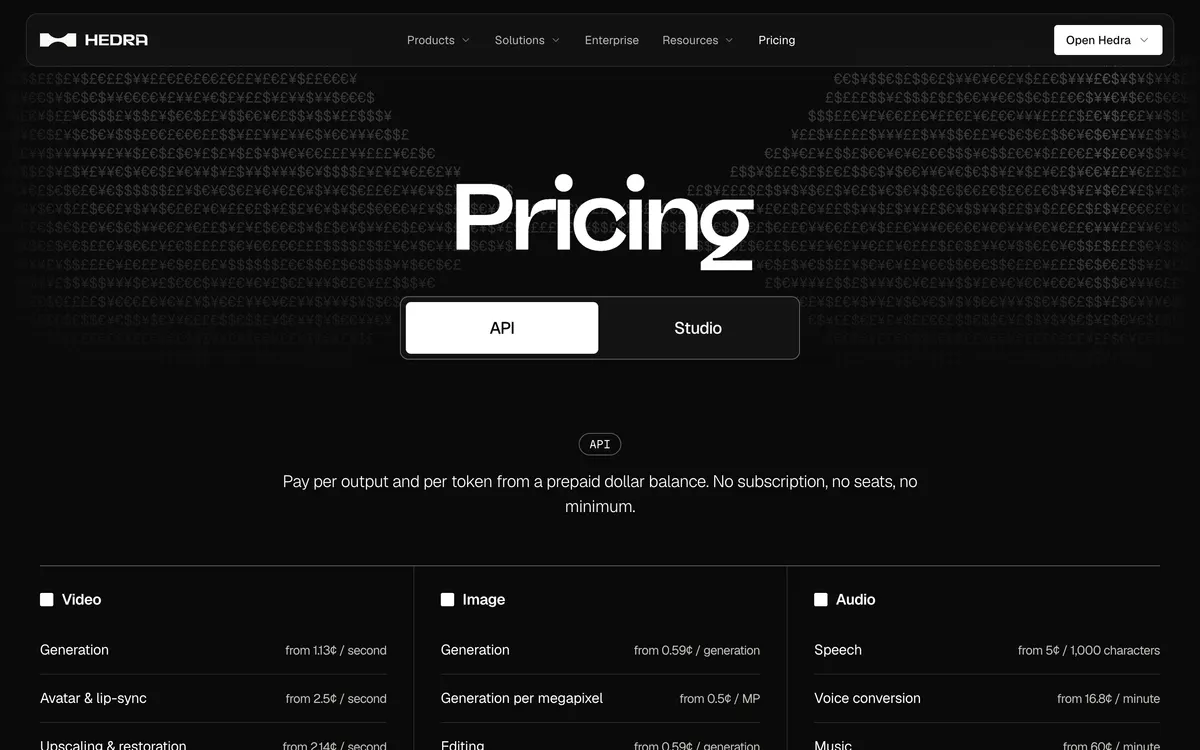
Avatar and lip-sync from 2.5 cents per second of output
Hedra pricing page, API tab with video, image and audio rates (official site, captured October 22, 2026)
Monthly subscription credits reset each billing cycle and do not roll over. Credit packs bought on top do not expire and are used only after the monthly credits run out. Hedra does not publish a fixed credits-to-seconds rate for every model in Studio, so check the cost shown in your account before a long take. For a plan-by-plan breakdown, see the Hedra pricing guide.
Consent, likeness rights and disclosure
This is the part most talking photo pages skip, and Hedra's own rules are stricter than many readers expect.
Your own face, by default. The Acceptable Use Policy says you may not input or generate output containing personal information of any individual other than yourself, "including (without limitation) any photos, audio, videos". The stated exception is images of persons who died at least one hundred years ago, used in line with the law and Hedra's terms.
No misleading deepfakes. The same policy bars impersonating real entities or creating fake personas to falsely attribute content or mislead others about its origin without consent or legal right.
Rights to the picture and the voice. Hedra's talking photo FAQ adds: "send only pictures and voices you have the rights to animate", which applies to artwork someone else drew as much as to a portrait.
Biometric data. Under the Biometric Data Policy, Hedra may generate facial templates from uploaded images and derive information from voice recordings to create avatars. It obtains express written consent where state law requires it and keeps biometric data no longer than three years after your last interaction.
Ownership. The Terms of Use (last updated September 4, 2026) say Hedra does not claim ownership of your inputs or outputs, while you grant Hedra a license to use that content to operate the service.
On disclosure, Hedra's policy targets content made to mislead people about where it came from. When a talking photo could pass for real footage of a real person, say that it is AI-generated in the caption or on screen, and follow the labeling rules of the platform where you post.
Talking photo vs AI talking avatar
Hedra separates the two by what you bring. A talking photo starts from a specific picture you already have and animates it faithfully to audio you already have. A talking avatar is the whole character, often generated first and then scripted. Both run through the same Avatar tab and the same models, so the difference is in preparation, not in the tool.
For a wider look at what Hedra Studio does beyond this workflow, read the Hedra AI review. For model naming and a lip sync walkthrough focused on Character 3, see the Hedra Character-3 guide.
Frequently asked questions
Is talking photo AI free in Hedra?
Hedra's official pricing page shows no free plan card on its Studio tab. Studio plans are paid, starting with Basic at $20 per month for 2,000 credits, and every paid plan includes unwatermarked output and commercial rights.
Can I make a talking photo without a watermark?
Yes, on a paid plan. Hedra states that commercial rights and unwatermarked output come with every paid plan. Its cancellation FAQ refers to limited watermarked generations once a subscription ends.
Can I use my own voice for lip sync?
Yes. Hedra lists four audio routes: upload a recording, record straight in, type a script and pick a voice, or clone a voice from a sample you own. The face follows whatever recording you supply.
Does image to talking video AI work with drawings or cartoons?
Hedra says yes: illustrations, cartoons, 3D characters, puppets and paintings all count, as long as the face is clear and pointed roughly at the viewer. You still need the rights to animate that artwork.
Can I animate a photo of another person?
Not under Hedra's Acceptable Use Policy, which bars photos, audio or video of anyone other than yourself. The exception is images of people who died at least 100 years ago, used lawfully.
How long can a talking photo be?
As long as the audio, up to the model's limit. Hedra says Character 3 runs up to ten minutes in a single generation and that other models cap shorter, with each model page stating its limit.
Bottom line
For a talking photo you control end to end, Hedra Studio's Avatar tab is the direct route: one clear face, one recording, Auto duration, generate. Use Hedra Studio when you want a talking photo whose length and delivery follow your own recording; every paid Studio plan includes watermark-free output and commercial rights.
Plans, prices and policies were checked on Hedra's official pages on October 22, 2026, and may change. Taxes and region can affect checkout totals.
Hedra Pricing: Free Start and Plans from $20Compare Hedra pricing, free-start terms, monthly credits and commercial use across Basic, Pro, Ultra and Teams. Basic starts at $20/month.