Reader offer
Higgsfield
Log in through this Higgsfield link for up to 50% off for 3 hoursAffiliate link: Fieldnotes earns a commission if you purchase through this link.Claude Code skills tutorial from the official docs: install paths, plugins, building a skill, Codex differences, and 10 skills by install type and license.
Higgsfield
Log in through this Higgsfield link for up to 50% off for 3 hoursAffiliate link: Fieldnotes earns a commission if you purchase through this link.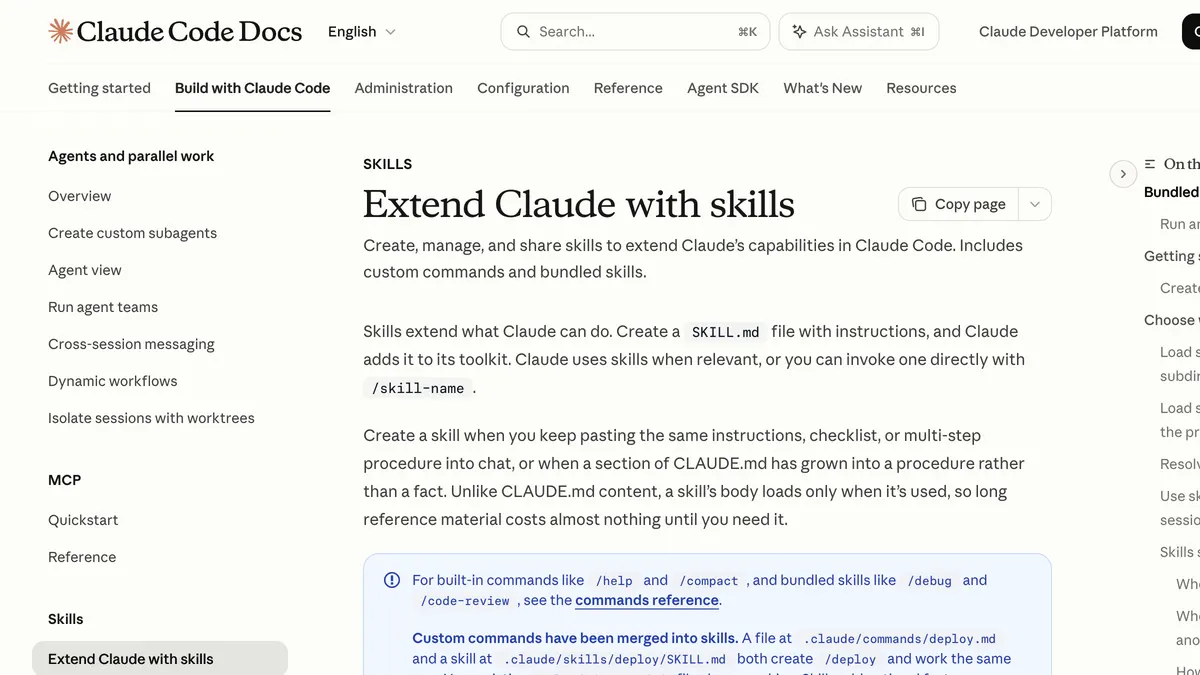
When you first look up Claude Code skills, the install instructions change from repo to repo. Some tell you to copy a folder, some tell you to use the /plugin command, and some tell you to install with npx. They are all called 'skills,' but in practice they are a mix of skills, plugins and subagents.
This tutorial is built around the 10 skills I actually used most over the past three months. It covers what a Claude skill is, how to install one, how to build your own, how Codex differs, and the security checks to run before you install. Concepts and paths come from the official Anthropic and OpenAI docs, and each skill's install method and license come from its GitHub README. I checked everything on September 23, 2026, then rechecked it on November 1, 2026 and corrected what had changed.
The official docs define skills like this:
Skills extend what Claude can do. Create a SKILL.md file with instructions, and Claude adds it to its toolkit.
Put simply, you write down how to do a job in one file called SKILL.md, and Claude pulls it out on its own when a related request comes in. To call it directly, type /skill-name.
The difference from CLAUDE.md is when it loads. CLAUDE.md is read every time, but a skill's body is read only when the skill is used. That is why the official docs say even long reference material costs almost nothing until it is needed. The old custom commands (.claude/commands/) have also been merged into skills, and existing files keep working.
According to the official docs, a skill you install yourself applies to a different scope depending on where you put its folder.
| Location | Path | Scope |
|---|---|---|
| Personal | ~/.claude/skills/skill-name/SKILL.md | Every project on your computer |
| Project | .claude/skills/skill-name/SKILL.md | That repository. Commit it to share with your team |
| Plugin | plugin-folder/skills/skill-name/SKILL.md | Called as '/plugin-name:skill-name' |
The folder name becomes the command. You can use a symbolic link for the folder, and 'synced' is a reserved folder name you cannot use.
A plugin is a bundle that ships several skills, agents, hooks or MCP servers together. Installing one takes two steps.
/plugin marketplace add repo-address./plugin install plugin-name@marketplace-name.The official Anthropic marketplace is added automatically the first time you run Claude Code interactively. The thing to watch is auto-update. According to the official docs, the auto-update default depends on the marketplace type, and third-party marketplaces have it turned off by default. To get new versions, turn on auto-update in the Marketplaces tab of the /plugin menu, or update manually with 'Update marketplace' in the same tab or claude plugin update plugin-name@marketplace-name in your shell. The official docs note that running only claude plugin marketplace update in the shell refreshes the list and leaves installed plugins as they are.
A skill installed as a plugin gets the plugin name in front of its own name. For example, if you install frontend-slides as a plugin, you call it with /frontend-slides:frontend-slides, and if you copy it straight into a skills folder, you call it with /frontend-slides. If a command doesn't respond after you install, check this difference first. Some repos also tell you to reload with /reload-plugins right after installing a plugin.
The list below follows the order of my workflow, not how often each skill showed up in my last three months of work logs. The 'Install type' column matters: the same skill gets a different command depending on how it is installed.
| Skill | What it does | Install type (per README) | License | Latest commit (checked 2026-11-01) |
|---|---|---|---|---|
| Korean Vibe Fonts | Suggests Korean web font pairings | README describes creating a subagent file | Not specified | 2026-07-31 |
| insane-search | Reads blocked public pages | Plugin | MIT | 2026-10-28 |
| claude-seo | SEO audits | Plugin or install script | MIT | 2026-10-22 |
| diagram-design | HTML and SVG diagrams | Plugin or symbolic link | MIT | 2026-10-27 |
| god-tibo-imagen | Image generation with Codex auth | Copy the skill folder or symbolic link | MIT in package.json only | 2026-09-19 |
| frontend-slides | HTML presentations | Plugin or folder copy | MIT | 2026-06-23 |
| taste-skill | Frontend design standards | npx skills add or plugin | MIT | 2026-10-24 |
| Anthropic Data | Data exploration, validation and visualization | Plugin | Apache-2.0 | 2026-09-21 (data folder) |
| claude-mem | Searches past session logs | npx claude-mem install or plugin | Apache-2.0 | 2026-11-01 |
| NolanX skills folder | Video planning and storyboards | No Claude Code install steps in README | MIT | 2026-05-15 (skills folder) |
Plenty of roundups sum these up in one line as 'all MIT open source,' but as the table shows, that isn't true. Korean Vibe Fonts lists no license, and god-tibo-imagen has no LICENSE file, with MIT written only in package.json.
This is a skill I made. It picks title and body font pairings, weights and letter spacing to match the mood of Korean content. When the colors and photos are fine but the page still feels a little off, I change the fonts first. Ask for "a homepage for a mochi brand in a Japanese style," and it suggests a pairing that fits that mood.
To be upfront, the README's Claude Code install instructions create a subagent file (.claude/agents/). The official docs now support the skill folder method, so I plan to update the README to match. There is a SKILL.md at the repo root, but copying it into a skills folder is not the method the README describes, so I can't guarantee here that it works that way.
According to its README, when a request gets blocked, it switches methods from stage 0 through stage 3 to read the public page. I use it every day to collect AI news. It needs no sign-up or API key, and it installs the packages it needs automatically on first run. On pages behind a login or paywall, it stops with 'authentication required.'
It installs as a plugin. Following the README, add the marketplace, install insane-search@gptaku-plugins, then run /reload-plugins. Because it fetches external pages, the security checks below apply to it in particular.
Per the repo description, it is an SEO plugin that bundles 26 sub-skills and 19 specialist agents. On top of technical SEO, content, schema and sitemaps, it now covers AI search and backlinks as well. The README requires Python 3.11 through 3.14, and it states that the 5 agents that need more judgment run on Opus and the rest on Sonnet, so a full audit uses more of your plan's usage than a page-level check. If your plan's usage limit is tight, start with page-level checks rather than full audits.
When you draw a flowchart or comparison table, it sets the reading order so readers know where to start. Output comes out as HTML and SVG. The README gives install commands for both Claude Code and Codex. It also notes that because this is a third-party marketplace, you need to turn on auto-update separately.
It reuses your local Codex login to call Codex's image generation and saves the result as a PNG. The command is gti. But the README itself gives this warning:
This is not a supported public API integration. It depends on private Codex request behavior that may change without notice.
In other words, it is not an official API and could be blocked at any time. In my own setup, request errors kept recurring in late August and early September, so I now make images another way. On cost, the README only says you need 'a Codex/ChatGPT account with image generation access.' According to OpenAI's official pricing docs, Codex image generation is not available on the free plan. I couldn't confirm which paid plan this tool starts working on.
It builds slides as a single HTML file with no framework, or turns an existing PowerPoint deck into web slides. PPT conversion needs Python and python-pptx, and PDF export needs Node.js. Its last commit was on June 23, 2026, so keep in mind that it hasn't been updated in more than four months.
As of the current README, the repo holds only one skill, 'design-taste-frontend,' and the skills that used to sit alongside it have moved to separate repos such as taste-skill-classics. The current version picks one of 20 pre-researched design directions, then checks and fixes the result in a real browser at three screen widths. It needs Node 22 or later plus Chrome, Edge or Chromium, and the README says one build takes 30 to 45 minutes and hundreds of thousands of tokens. I used it to rough out card news design drafts.
This plugin lives in Anthropic's official organization repo. It provides commands for data exploration, validation, SQL, statistics, visualization and dashboards. Since it is a plugin, its commands carry the plugin name in front. The README says it works best with a data warehouse connected, but you can also upload a CSV or Excel file and analyze it without one. It was originally built for Cowork, and the README says it also works in Claude Code.
It records your Claude Code sessions so you can find them again later by topic or date. I pulled the skill list in this post by searching my last three months of logs with claude-mem.
There is a change to know about before you install. Per the latest README, installing asks you to log in through your browser; once you log in, the first 30 days are free, and if you don't subscribe after that, it switches automatically to your Anthropic plan. The README also offers an option to install without logging in. It also warns that npm install -g claude-mem does not register the plugin hooks, so install with the command the README recommends.
What I've been calling 'Nolanx Video Skills' is not an official name; it is the skills folder inside the repo of NolanX, a video production agent. It holds 20 skills covering camera angles, scene blocking, continuity, storyboards and more. The README has no install steps for Claude Code or Codex, so I have Claude read the SKILL.md files I need as reference material.
A one-line prompt, 'a behind-the-scenes video about the kimchi-slap scene in Korean dramas,' didn't produce a video. With this skill, I first broke the story into 8 beats and 21 shots, set the angles and scene transitions for a 9:16 vertical frame at 24fps, and then generated it, which produced an 82.6-second video. The actual video generation ran through the Higgsfield MCP. The Higgsfield MCP uses your existing plan credits with no separate API key, so if you already use Higgsfield, you can connect it to Claude right away.
Log in through this Higgsfield link for up to 50% off for 3 hoursAffiliate link: Fieldnotes earns a commission if you purchase through this link.
This discount is a personal benefit that applies for 3 hours from the moment you log in through the affiliate link. Check the actual discount on the checkout screen after you log in.
Building your own isn't hard either. The first example in the official docs goes like this:
~/.claude/skills/skill-name folder./skill-name.All frontmatter fields are optional, and only description is recommended. Description and when_to_use combined get cut off past 1,536 characters, so put the key triggers first. You can also keep supporting files such as scripts or templates in the same folder. The official docs suggest that if you keep pasting the same instructions into chat, that is a candidate for a skill.
I once wrote that 'if you learn Claude Code, Codex works the same way.' After rechecking the official docs, that is mostly right but not exactly. Both use SKILL.md from the same open Agent Skills standard, but the paths, the way you invoke them and the required fields differ.
| Item | Claude Code | Codex |
|---|---|---|
| Personal skill path | ~/.claude/skills | ~/.agents/skills |
| Project skill path | .claude/skills | .agents/skills |
| Direct invocation | /skill-name | /skills or $skill-name |
| Frontmatter | All optional (description recommended) | name and description required |
Some repo READMEs point to '~/.codex/skills/' as the Codex path. OpenAI's current official docs table doesn't list that path; it lists '~/.agents/skills'. I couldn't confirm whether the old path still loads, so the official path is the safer choice.
Skills aren't only instructions; they can run scripts. Anthropic's official docs are clear about this:
Use Skills only from trusted sources: those you created yourself or obtained from Anthropic.
The plugin docs also describe plugins and marketplaces as components that can run arbitrary code with your user permissions. I check four things before I install anything:
The official docs list no separate charge for skills themselves. But you need a paid account to use Claude Code. The official setup docs say Claude Code is not included in the free claude.ai plan and requires a Pro, Max, Ultra, Team, Enterprise or Console account. Pro, Max and Ultra draw on your subscription usage, and Console (API) is billed by token usage. Running skills also uses tokens, so heavy jobs like a full claude-seo audit eat into your usage quickly.
If you'll use it alone or just want to try it quickly, putting it directly in a skills folder is the simplest option. If you need updates, or several skills come as one bundle, follow the plugin method the repo recommends. The official docs likewise recommend standalone setups for personal work and experiments, and plugins for team sharing and versioned distribution.
Commit your project's '.claude/skills/' folder to the repo, and it is shared with everyone who uses that repo. To distribute it more widely, bundle it as a plugin.
Because both follow the same SKILL.md standard, most skills carry over. Move the folder to the Claude Code path, and fix any Codex-only files (such as agents/openai.yaml) or wording that assumes '$' invocation.
Installing Claude Code skills comes down to one of three ways: put the skill in a skills folder, install it as a plugin, or use the install command the repo provides. Whichever you choose, follow the method in the README, and make a habit of opening SKILL.md, the scripts and allowed-tools once before you install. That habit matters most. If you're new to this, start with something from a clear source, like the Data plugin in Anthropic's official repo, and when you notice yourself repeating the same instructions, turn them into your own skill.
If you'd like to learn Claude Code step by step from the beginning, I also made an Inflearn course on Claude Code work automation for non-developers (in Korean).
This post contains affiliate links. If you sign up through them, I receive a commission.
Confirm the final price, eligibility, and refund terms on the seller page before purchasing.
Affiliate link: Fieldnotes earns a commission if you purchase through this link.
1 option checked in this guide
See the options