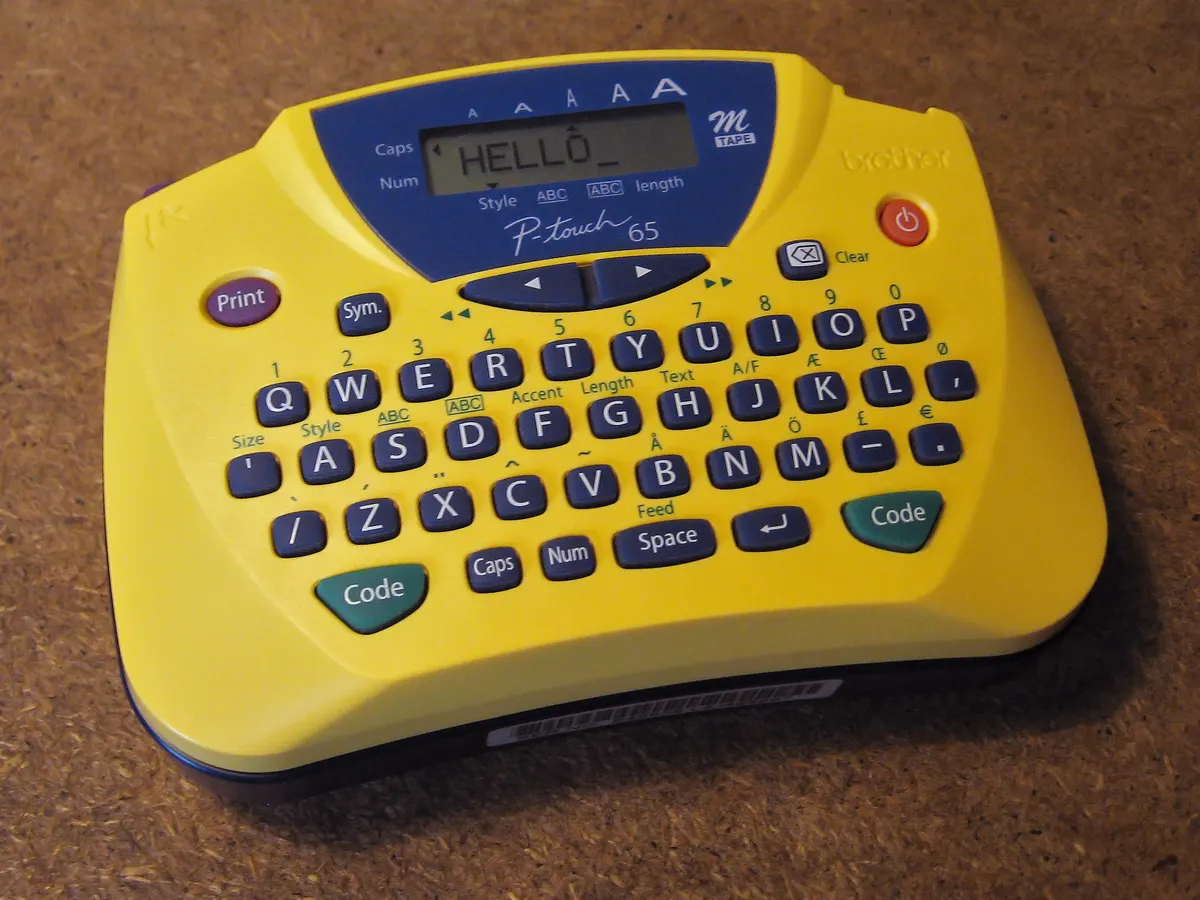
Brother P-touch label maker comparison: PT-N10, PT-H110, PT-D210, PT-D220 and P-touch CUBE Plus. Real prices, tape width and which model fits your needs.
Check price on Amazon: Brother PT-D220As an Amazon Associate, Fieldnotes earns from qualifying purchases. Prices shown were checked on the date stated and may have changed.
Brother P-Touch PT-N10 Personal Handheld Label Maker
Check price on Amazon: Brother PT-N10As an Amazon Associate, Fieldnotes earns from qualifying purchases. Prices shown were checked on the date stated and may have changed.
Anyone who searches for a Brother P-touch label maker usually runs into the same wall: Brother's own site lists more than a dozen models across three or four series, and none of the pages tell you which one to actually buy. The retailer listings are not much better, since several models look nearly identical in their thumbnail photos.
This guide compares five current Brother P-touch models by price, tape width, memory and connectivity, using specs pulled directly from Brother's product pages and retailer listings. It is not a hands-on review. No claim below is based on testing or owning any of these units; every number is sourced and dated.
Quick answer: which Brother P-touch label maker to buy
Budget pick: Brother PT-N10. A compact personal label maker for around $19.99, best for anyone who only needs small tags on 12mm tape and does not need a keyboard-driven display.
Best overall: Brother PT-D210. Listed at $34.99 on Brother's own site (bundles with extra tape run higher at retailers), it covers the tape widths and memory most home and small-office users need without paying for Bluetooth.
Best for phone-designed labels: Brother P-touch CUBE Plus (PT-P710BT). At $114.99 it costs three times as much as the PT-D210, but it is the only model here that prints from a phone or tablet app instead of a built-in keyboard.
Brother P-touch label maker comparison table
Model
Type
Tape width
Memory
Connectivity
Price (checked Sep 8, 2026)
PT-N10
Personal handheld
Up to 12mm (Btag tape)
Not stated by manufacturer
None, manual keys
$19.99 (Amazon listing)
PT-H110
Portable keyboard
3.5mm-12mm TZe
15 labels
None
$34.99 (brother-usa.com)
PT-D210
Portable keyboard
3.5mm-12mm TZe
30 labels
None
$34.99 (brother-usa.com); $69.99 as a 4-tape bundle (Amazon)
PT-D220
Portable keyboard, one-touch keys
3.5mm-12mm TZe
30 labels
None
$44.99 (brother-usa.com and Amazon)
P-touch CUBE Plus (PT-P710BT)
App-controlled
Up to 24mm TZe
100 labels
Bluetooth (phone, tablet, PC)
$114.99 (brother-usa.com)
How much does a Brother P-touch label maker cost
Prices for the models in this comparison span roughly $20 to $115 as listed directly by Brother or on Amazon at the time of writing. Three price bands are worth knowing before you shop:
Under $35: PT-N10 and PT-H110. Both are keyboard or button-based units with no phone connection.
$35-$50: PT-D210 and PT-D220. Same tape compatibility as the cheaper models, more built-in memory, and PT-D220 adds one-touch formatting keys.
$100+: P-touch CUBE Plus. The jump in price buys Bluetooth, a wider tape ceiling and 100-label memory instead of 15 or 30.
Retailer bundle prices are often higher than Brother's own listed unit price because they include extra tape cassettes. The PT-D210 bundle on Amazon, for example, is priced well above the $34.99 unit price on brother-usa.com because it ships with four tapes included. Compare the per-unit price, not just the box price, before deciding a bundle is a deal.
Brother P-touch D210 vs D220 label maker: what's actually different
The Brother P-touch D210 label maker and the Brother P-touch PT-D220 label maker are easy to confuse because they use the same body size, the same QWERTY keyboard layout and the same TZe tape range (3.5mm to 12mm). Based on the specs listed on Brother's own product pages:
PT-D210 stores up to 30 labels for reprinting and lists at $34.99.
PT-D220 also stores up to 30 labels, adds one-touch formatting keys for bold, frames and underline, and lists at $44.99.
Both run on 6 AAA batteries or an optional AC adapter, neither included, and both carry a 1-year limited warranty per Brother's listings.
If you label file folders and boxes occasionally, the PT-D210 covers it for $10 less. If you format a lot of labels with borders or bold text and want to skip the multi-key menu presses, PT-D220's dedicated keys are the reason to pay the difference.
Brother P-touch label maker PTH110: the smallest keyboard option
The PT-H110 sits below the PT-D210 in Brother's lineup. It uses the same 3.5mm-12mm TZe tape range but stores only 15 labels in memory versus 30 on the PT-D210, and its listed weight (0.9 lbs) and body size (4.3in x 8.0in x 2.2in per Brother's spec sheet) are smaller than the D210's 6.2in x 5.9in x 2.7in. Brother lists it at $34.99, the same price point as the PT-D210. Because the two share a price but not a memory capacity, there is little reason to choose the PT-H110 over the PT-D210 unless the smaller physical size matters for storage or portability.
Brother P-touch CUBE Plus label maker: is Bluetooth worth it
The Brother P-touch CUBE Plus label maker (model PT-P710BT) is a different product category from the four keyboard models above. It has no built-in keyboard. Instead, you design labels on a phone, tablet or computer using Brother's app or P-touch Editor software, then send the job over Bluetooth. Per Brother's product page, it accepts TZe tape up to 24mm wide (double the 12mm ceiling on the cheaper models), stores up to 100 labels, and runs on a built-in rechargeable battery rather than AAA batteries.
At $114.99, it costs more than double the PT-D220. That premium buys:
A phone/tablet app interface instead of a small keyboard and LCD
Wider tape support (up to 24mm) for larger labels
A rechargeable built-in battery instead of disposable AAAs
Access to templates and icon libraries through the app that are not available on the keyboard models
It makes sense for anyone doing craft projects, retail organization, or classroom labeling where visual templates matter more than raw speed. For plain text labels on file folders or storage bins, a keyboard model is faster and does not require pairing a phone every time.
Label maker tape for Brother P-touch: genuine vs compatible
All five models in this comparison use Brother's TZe laminated tape cassette system, in widths from 3.5mm up to 24mm depending on the model. Genuine Brother TZe tape is sold both as single cartridges and multi-packs, and pricing varies by tape width, length and pack size, so check the current listing on Brother's own tape page or a retailer before buying. Amazon also carries compatible, non-Brother tape cartridges for the PT-D220, PT-D210, PT-D200 and PT-H100 series; check the listing price against a genuine cartridge of the same width before assuming it is cheaper.
Compatible tape can lower the cost of ownership since tape is a recurring purchase, but a manufacturer-branded cassette is the safer default if you need guaranteed adhesion or lamination durability, since third-party cassette quality varies by seller and was not tested for this guide. If you are still choosing between brands, our DYMO vs Brother label maker comparison matches models side by side and works out TZe tape cost per foot, plus the price a D1 cassette has to beat.
Brother P-touch label maker software: what you get on each model
The four keyboard models (PT-N10, PT-H110, PT-D210, PT-D220) do not require any software or app. You type directly on the built-in keyboard and print. This is the simplest path if you just want a physical device that works without pairing.
The P-touch CUBE Plus works with three separate Brother applications listed on its product page: the Brother iPrint&Label app and P-touch Design&Print2 app for phone/tablet, and P-touch Editor software for PC or Mac. If you plan to design labels ahead of time on a laptop and print later, the CUBE Plus and its software are the only path among these five models; the keyboard units have no PC design software option.
Mistakes to avoid when choosing a Brother P-touch label maker
Buying a bundle without checking the unit price. A retailer bundle can list a higher total than buying the label maker and tape separately from Brother's own site.
Assuming PT-H110 and PT-D210 are the same because they're priced the same. Memory capacity (15 vs 30 labels) and body dimensions differ even at an identical $34.99.
Paying for Bluetooth you won't use. If your labels are plain text on folders or bins, the CUBE Plus's app-only workflow adds a pairing step the keyboard models skip entirely.
Ignoring tape width limits. The four cheaper models top out at 12mm tape; only the CUBE Plus accepts the wider 24mm tape for larger labels.
FAQ
What's the real difference between the PT-D210 and PT-D220?
Both store up to 30 labels and use the same 3.5mm-12mm tape range. The PT-D220 adds one-touch formatting keys (bold, frame, underline) and costs $10 more at $44.99 versus $34.99 for the PT-D210, per Brother's own listings.
Do I need the app to use the P-touch CUBE Plus?
Yes. The PT-P710BT has no physical keyboard, so labels are designed and sent from Brother's iPrint&Label app, the Design&Print2 app, or P-touch Editor software over a Bluetooth connection, per the product's official specification page.
What tape does a Brother P-touch label maker use?
All five models here use Brother's TZe laminated tape cassette system. The PT-N10, PT-H110, PT-D210 and PT-D220 accept widths from 3.5mm to 12mm. The P-touch CUBE Plus accepts wider tape, up to 24mm, per Brother's listed specification.
Is compatible (non-Brother) TZe tape worth buying to save money?
It depends on the seller. Compatible cassette prices are not consistently lower than genuine Brother tape, so compare the listed price for the exact width and length before assuming it is cheaper. If adhesion or lamination quality matters for your use case, genuine Brother tape remains the safer, verifiable default.
What warranty comes with a Brother P-touch label maker?
The PT-D210, PT-D220, PT-H110 and P-touch CUBE Plus each list a 1-year limited warranty on Brother's official product pages. Warranty terms for the PT-N10 were not confirmed on an official Brother page during this research and should be checked on the listing before buying.
Which model is best for a small business or home office?
For plain-text labeling of files, cables and storage, the PT-D210 or PT-D220 covers the most common office needs at $34.99-$44.99. For product labeling, retail tags or anything needing icons and templates, the P-touch CUBE Plus's app-based design tools are the stronger fit despite the higher price.
None of the models compared here were purchased or tested for this guide. The comparison is based on specifications published on Brother's official product pages and prices listed on Brother's site and Amazon at the time of research. Between the five, the PT-D210 covers the widest range of everyday labeling needs for the lowest price, the PT-N10 is the cheapest entry point for occasional small tags, and the P-touch CUBE Plus is the only model built for phone-based label design.
Prices and availability checked as of 2026-09-08 and may change.
Explore the available options
Confirm the final price, eligibility, and refund terms on the seller page before purchasing.